Treatments
Choose which services and consultations patients can book online.
Let patients select a treatment or consultation, location, practitioner and time. nuemed checks every clinic rule behind the scenes before showing what can actually be booked.
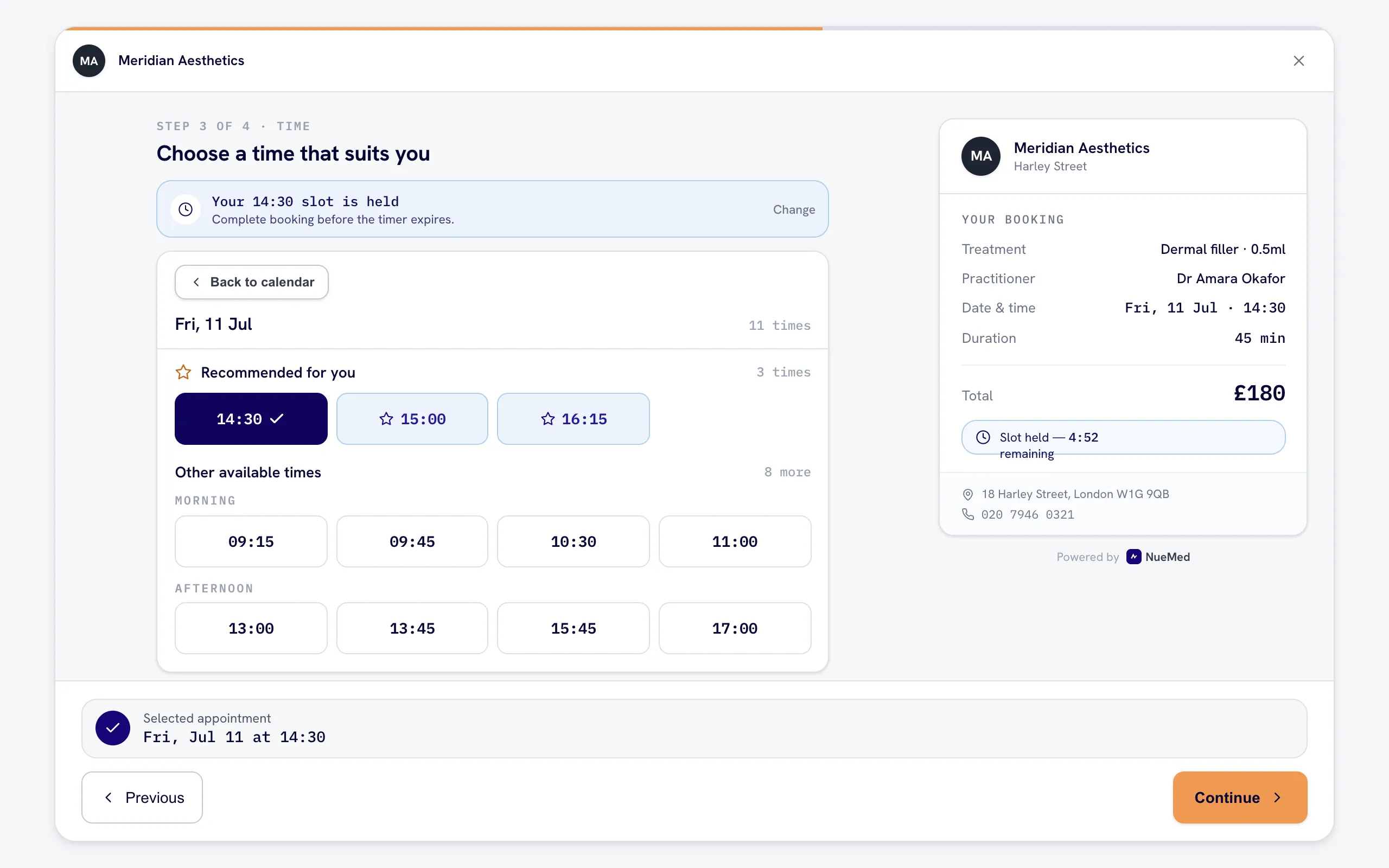
The patient booking system understands how the clinic is configured before it offers a slot.
Choose which services and consultations patients can book online.
Make each treatment available only with the right clinicians.
Show the clinic locations where that appointment can happen.
Check suitable rooms and assign one automatically without asking the patient.
Use practitioner hours, breaks and existing bookings.
Respect appointment durations and buffers automatically.
A free slot is not always the best slot. nuemed identifies available times beside a practitioner’s existing appointments and recommends those first, helping the day fill back to back instead of leaving long, unusable gaps.
Built from live booking behaviour. During a year of clinic testing, patients were more inclined to select the times presented as recommended.
For clinics with several rooms or locations, room selection should not become another patient decision. nuemed checks which rooms are suitable for the treatment and available with the selected practitioner.
Among eligible rooms, the one with fewer appointments receives priority. If several are tied, nuemed selects between them. The clinic gets balanced room use while the booking flow stays simple.
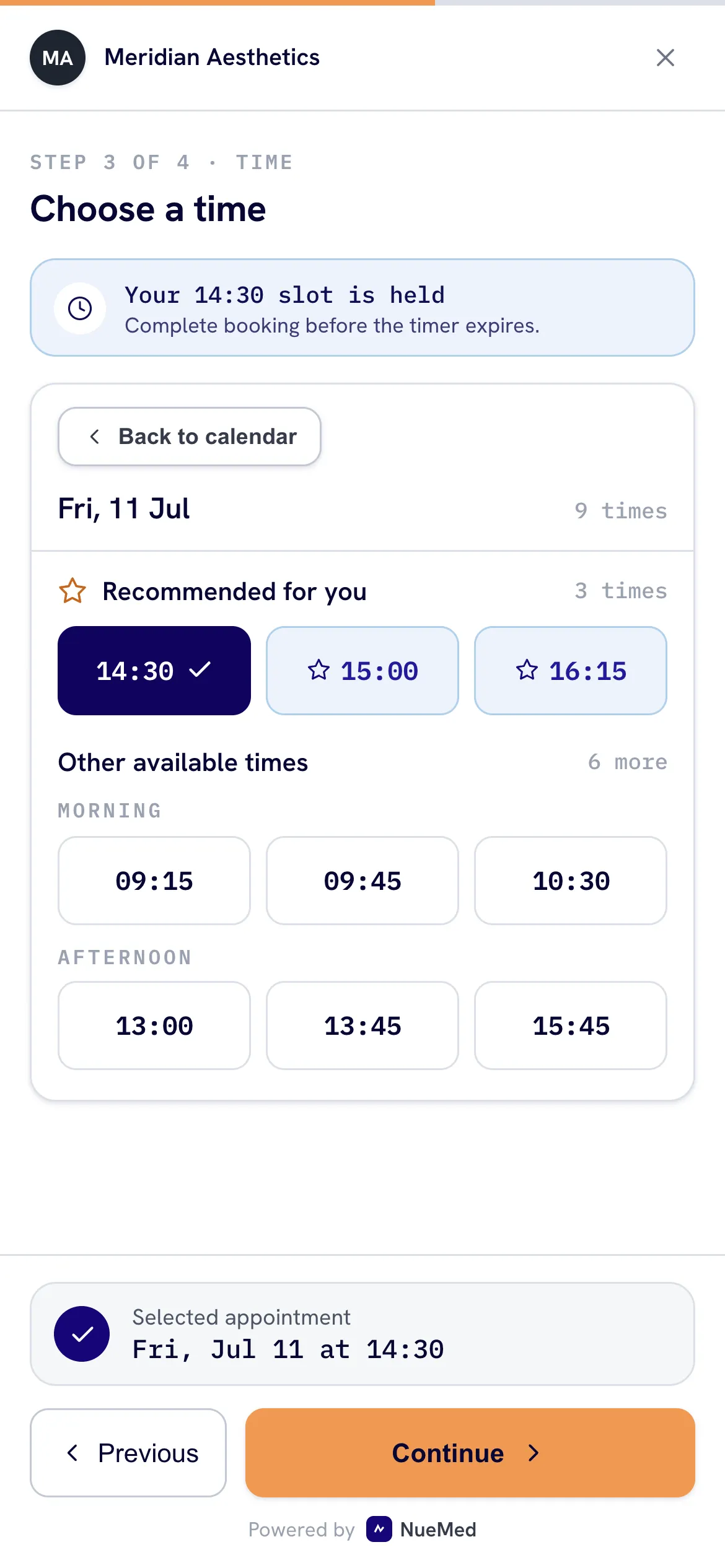
The booking flow behaves like a focused app. Patients move through short, logical steps without wrestling with a long form.
nuemed recognises the patient journey instead of treating every booking like a brand-new enquiry.
nuemed creates their patient profile, captures the required details and connects the appointment.
They are recognised and the new appointment is added to their existing history.
Their eligible packages appear, so they can choose the correct package for the session.
As soon as the booking is confirmed, nuemed checks the patient, treatment and existing forms. It sends one email link containing only the forms needed for this appointment.
Explore digital consent and intakeSent when the clinic still needs the patient’s core medical and profile details.
Included when consent for the booked treatment is required or needs renewing.
Used for returning patients who only need to confirm what has changed.
Choose the commitment that suits the appointment. Stripe stays inside the booking flow, with the payment methods enabled for the clinic and patient.

 Klarna.
 Available methods are provided through Stripe.
Patients receive booking confirmation, form requests and appointment reminders by email.
Patients contact the clinic. An authorised staff member handles cancellation or rescheduling inside nuemed.
NueMed appointments can appear on the practitioner’s phone calendar. Availability remains managed inside nuemed.
It lets patients book against the clinic’s real availability. nuemed checks the selected treatment or consultation against the correct location, practitioner, room, working hours, breaks, duration and booking buffer.
Yes. Clinics decide which treatments and consultations are available online, where they can happen and which practitioners can deliver them.
nuemed highlights available times next to a practitioner’s existing appointments. Patients can still choose from other available times, but the recommended options encourage a tighter, more continuous diary with fewer long gaps.
nuemed checks every suitable available room and prioritises eligible rooms with fewer appointments. If several rooms are tied, it selects between them. The patient only needs to choose an appointment time.
Yes. A booking can require no payment, a fixed deposit or full payment. Stripe is embedded in the flow and can surface enabled methods such as cards, Apple Pay, Google Pay and Klarna.
Not directly. Patients contact the clinic, and an authorised staff member makes the change. This keeps cancellations and rescheduling visible to the clinic.
Yes. nuemed checks the patient and appointment, then sends one link containing only the forms currently required: general intake, treatment consent or a repeat check-in.
NueMed appointments can appear in a practitioner’s Google Calendar for visibility on their phone. Booking availability is managed inside nuemed, not read from personal Google Calendar events.
One branded flow from treatment choice to confirmed appointment.